

- Posts: 5363
- Thank you received: 0

- Forum
- Modding Corner
- Tutorials & Hilfe / Tutorials & Help
- Lua Scripting Tutorial for Star Wars EAW / FOC
Lua Scripting Tutorial for Star Wars EAW / FOC
- Imperial
-
 Topic Author
- Offline
- Platinum Boarder
-

Less
More
02 Sep 2015 16:45 #74497
by Imperial

Replied by Imperial on topic Lua Scripting Tutorial for Star Wars EAW / FOC
Here's a nice little example script that triggers as soon any unit gets nearby to the Object:
require("PGStateMachine")
require("PGStoryMode")
--=================== Definitions ===================
function Definitions()
Define_State("State_Init", State_Init)
-- This is the Radius for triggering
Trigger_Radius = 320
end
--=================== State_Init ===================
function State_Init(message)
if message == OnEnter then
-- Registering Proximity Event: The Object calls the Function_Name as soon the "Trigger_Radius" was reached
Object.Event_Object_In_Range(Function_Name, Trigger_Radius)
end
end
--=================================== Threads ===================================
function Function_Name(Object, Nearby_Unit)
if Nearby_Unit.Get_Owner().Is_Human() then
-- do something:
Object.Highlight(true)
-- This will terminate the event so it wont trigger more then 1x
Object.Cancel_Event_Object_In_Range(Function_Name)
end
end
--================================= End of File =================================
The topic has been locked.
- Imperial
-
Topic Author
- Offline
- Platinum Boarder
-
Less
More
- Posts: 5363
- Thank you received: 0
13 Sep 2015 04:14 #74783
by Imperial
Replied by Imperial on topic Lua Scripting Tutorial for Star Wars EAW / FOC
Did you ever tried to write a Blacklist with 40 entries ?
I just needed to write one and my issue was using the conventional way I'd need 40 of these lines:
Instead, I wrote a dynamic list that searches for existing Objects on the map, and counts them.
Then finally starts at the counted value and checks down all of them until 0 was reached.
Within the check it is going to set (in my case) the variable "Stolen_Unit" to false if any of the blacklisted units is our Stolen_Unit.
If you try to implement such a blacklist to one of your scripts please be careful with the repeat state, its very fragile and each little change can crash the script.
I just needed to write one and my issue was using the conventional way I'd need 40 of these lines:
if TestValid(Unit)
-- And it is none of the Units in the Exclusion List table
and Unit.Get_Type() ~= Find_Object_Type(Exclusion_List[1])
and Unit.Get_Type() ~= Find_Object_Type(Exclusion_List[2])
and Unit.Get_Type() ~= Find_Object_Type(Exclusion_List[3])
and Unit.Get_Type() ~= Find_Object_Type(Exclusion_List[4])
and Unit.Get_Type() ~= Find_Object_Type(Exclusion_List[5]) then
Instead, I wrote a dynamic list that searches for existing Objects on the map, and counts them.
Then finally starts at the counted value and checks down all of them until 0 was reached.
Within the check it is going to set (in my case) the variable "Stolen_Unit" to false if any of the blacklisted units is our Stolen_Unit.
If you try to implement such a blacklist to one of your scripts please be careful with the repeat state, its very fragile and each little change can crash the script.
-- CAUTION: Any mistyping, nonexistent xml Names or forgotten , commas in this table will crash the script !!!
Excluded_Units = {"Unit_1", "Unit_2", "Unit_3", "Unit_4", "Unit_5"}
Stolen_Unit = false
Stolen_Unit = -- (set any unit you like to this variable of interest)
local Exclusions = {}
-- For all units in the Excluded_Units table
for each,String_Name in pairs(Excluded_Units) do
-- Find all units of this type into another table variable
local Found_Exclusions = Find_All_Objects_Of_Type(String_Name)
-- Again for all units, this time not the strings but the actual units
for each,Unit in pairs(Found_Exclusions) do
-- If exist
if TestValid(Unit) then
-- Then we will insert it into the table "Exclusions"
table.insert(Exclusions, Unit)
end
end
end
-- We're going to count the amount of blacklisted Units.
local Exclusion_Count = table.getn(Exclusions)
-- Making sure this only fires if any blacklisted Objects were found on a map
if Exclusion_Count ~= 0 then
-- Repeat this piece of code until all "Exclusions" were checked
repeat
-- CAUTION: We need to sleep abit to prevent the game from freezing
Sleep (0.2)
-- Then we check whether the highlighted object is blacklisted in the Excluded_Units table
-- Exclusions[Exclusion_Count] means we start at the highest value (count) and go down to 0
if Stolen_Unit.Get_Type() ~= Exclusions[Exclusion_Count].Get_Type() then
-- Then we count down from the unit count
Exclusion_Count = Exclusion_Count - 1
else
-- If our target Object, the Stolen_Unit was matched to any of the Found_Exclusions, we drop it
Stolen_Unit_Is_Valid = false
Exclusion_Count = Exclusion_Count - 1
end
-- We count down until 1 was reached and Found_Exclusions finally reaches 0
until Exclusion_Count == 0
end
-- Needed the additonal variable Stolen_Unit_Is_Valid because directly changing Stolen_Unit above crashes the script.
if Stolen_Unit_Is_Valid == false then
-- Deleting Stolen unit because it is not a valid target
Stolen_Unit = false
-- Resetting variable for next usage
Stolen_Unit_Is_Valid = true
else
-- As soon the unit got destroyed, trigger the function, wont work with tables, use getn instead.
Register_Death_Event(Stolen_Unit, Destroy_Docked_Units)
end
The topic has been locked.
- Imperial
-
Topic Author
- Offline
- Platinum Boarder
-
Less
More
- Posts: 5363
- Thank you received: 0
19 Sep 2015 01:00 #74878
by Imperial
Replied by Imperial on topic Lua Scripting Tutorial for Star Wars EAW / FOC
How do we use the Camera controls?
Well, this is quite tricky and needs lot of testing. It works for both story scripts and object scripts.
In this post I often use Object, which points at the Unit that executes the script, but instead you could use something like
The starting position for the camera will be the current screen, unless you define the starting position of the camera to a certain marker object on the map, like this:
Find_Hint will look for the name of the marker in its "hint" field, written by the Map Editor, you could either search for "" as empty and nameless marker but it will find the first nameless object of this kind. Then you have to add the code below as well.
However, you can leave the code above away and use only the next field. Then the camera will start on the current screen of the player.
This is the simplest setup:
Transition_Cinematic_Camera_Key() = Rotates away from parameter_1
Transition_Cinematic_Target_Key() = Rotates towards parameter_1
You can use both of them in combination as above, or use only one of them and leave the other line away.
Parameter 3, 4 and 5 of both allows you to move the camera in the x,y and z axis for the value you enter, aviously its a blind guessing of distances if you want to point the camera to a object using these parameters, the devellopers who made this most have been drunken...
And here is an other example with even more tricks:
And there is also
And
Well, this is quite tricky and needs lot of testing. It works for both story scripts and object scripts.
In this post I often use Object, which points at the Unit that executes the script, but instead you could use something like
Target_Object = Find_First_Object("Unit_Name")
The starting position for the camera will be the current screen, unless you define the starting position of the camera to a certain marker object on the map, like this:
-- Defining the positions of Markers objects ( Example hint names 01 and 02 were added to my map using the map editor):
Marker_01 = Find_Hint("ATTACKER ENTRY POSITION", "01")
Marker_02 = Find_Hint("DEFENDING FORCES POSITION", "02")
-- Positon of the Camera (Optional, without it the Camera will start at current screen)
Set_Cinematic_Camera_Key(Marker_01, 100, 40, 0, 1, 0, 0, 0)
-- Rotation of the Camera (Optional, without it the Camera will start at current screen)
Set_Cinematic_Target_Key(Marker_02, 0, 0, 0, 0, 0, 1, 0)
Find_Hint will look for the name of the marker in its "hint" field, written by the Map Editor, you could either search for "" as empty and nameless marker but it will find the first nameless object of this kind. Then you have to add the code below as well.
However, you can leave the code above away and use only the next field. Then the camera will start on the current screen of the player.
This is the simplest setup:
-- Controls need to be locked, or any mouse movement will end the camera movement
Lock_Controls(1)
Start_Cinematic_Camera()
-- Transition_Cinematic_Camera_Key(target_position, time, x_distance, y_pitch, z_yaw, euler, pobj, use_object_rotation, cinematic_animation)
-- Rotate the Camera during parameter_2 seconds away from the current position towards parameter_1
Transition_Cinematic_Camera_Key(Object, 4, 1800, 400, 0, 0, 0, 1, 0)
-- You need to sleep for parameter_2 seconds, or the camera deactivates too early using End_Cinematic_Camera() .
Sleep(4)
-- Rotate the Camera during parameter_2 seconds towards parameter_1
Transition_Cinematic_Target_Key(Object, 4, 0, 0, 0, 0, 0, 1, 0)
Sleep(4)
-- Unlocking controls again
End_Cinematic_Camera()
Lock_Controls(0)
Transition_Cinematic_Camera_Key() = Rotates away from parameter_1
Transition_Cinematic_Target_Key() = Rotates towards parameter_1
You can use both of them in combination as above, or use only one of them and leave the other line away.
Parameter 3, 4 and 5 of both allows you to move the camera in the x,y and z axis for the value you enter, aviously its a blind guessing of distances if you want to point the camera to a object using these parameters, the devellopers who made this most have been drunken...
And here is an other example with even more tricks:
Lock_Controls(1)
Start_Cinematic_Camera()
-- These 2 Are optional, but if you use them, dont forget to deactivate them at the bottom!!:
-- Letter_Box_In displays the 2 black bars at the top and the bottom.
Letter_Box_In(2)
-- Disabling AI so Units wont shoot eachother
Suspend_AI(1)
-- With this activated, the camera will follow a Unit or spaceship until it was ended using Transition_Cinematic_Camera_Key()
Scroll_Camera_To(Object)
-- Need to sleep as long the camera is following!
Sleep(8)
-- This is the same code as in the box above:
-- Rotate the Camera during parameter_2 seconds away from the current position towards parameter_1
Transition_Cinematic_Camera_Key(Object, 4, 1800, 400, 0, 0, 0, 1, 0)
Sleep(4)
-- Rotate the Camera during parameter_2 seconds towards parameter_1
Transition_Cinematic_Target_Key(Object, 4, 0, 0, 0, 0, 0, 1, 0)
-- You need to sleep for parameter_2 seconds, or the camera deactivates too early using Transition_To_Tactical_Camera.
Sleep(4)
-- Optional: Scrolls the Camera during parameter_1 back to its original position
Transition_To_Tactical_Camera(4)
-- End_Cinematic_Camera is commented because Transition_To_Tactical_Camera() does this
-- End_Cinematic_Camera()
Lock_Controls(0)
-- These 2 are optional, use only if deactivated above:
Letter_Box_Out(1)
Suspend_AI(0)
And there is also
Which instantly shows that Object.Point_Camera_At(Object)
And
Zoom_Camera(0.7, 0)
The topic has been locked.
- Imperial
-
Topic Author
- Offline
- Platinum Boarder
-
Less
More
- Posts: 5363
- Thank you received: 0
07 May 2016 04:50 #79463
by Imperial
Replied by Imperial on topic Lua Scripting Tutorial for Star Wars EAW / FOC
These tags are interesting for the Galactic Conquest Layer:
Additionally .Get_Planet_Location() is a pretty cool function. You could do funny things with it like the Teleportation function I just figured out for a Object Script that runs on the GC Layer as soon its Dummy Unit was spawned (means if you wish to use it as story script you'd need to replace "Object" with any other unit to get it working.)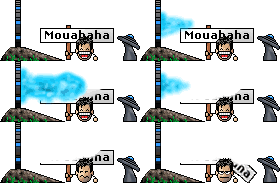
Planet_01 = Find_First_Object("Planet_Name")
Planet_02 = Find_First_Object("Planet_Name")
Add_Planet_Highlight(Planet_01, "0")
-- It blinks as long as the script sleeps
Sleep (3.0)
Remove_Planet_Highlight("0")
Additionally .Get_Planet_Location() is a pretty cool function. You could do funny things with it like the Teleportation function I just figured out for a Object Script that runs on the GC Layer as soon its Dummy Unit was spawned (means if you wish to use it as story script you'd need to replace "Object" with any other unit to get it working.)
This Function teleports all Ships and Transporters it finds in the orbit of one Planet to a second one. Ok, I have to admit it actually kills the units and resurrects them, but fast enough to not be able noticing it.require("PGStoryMode")
require("PGStateMachine")
--================================= Base Definitions =================================
function Definitions()
Define_State("State_Init", State_Init)
end
--================================= The Mission begins =================================
function State_Init(message)
if message == OnEnter then
Planet_01 = Find_First_Object("Planet_Name")
Planet_02 = Find_First_Object("Planet_Name")
All_Units = Find_All_Objects_Of_Type("Transport | Fighter | Bomber | Corvette | Frigate | Capital")
Orbital_Fleet = {}
-- Removing any non player Units
for each, Unit in pairs(All_Units) do
if TestValid(Unit) and Unit.Get_Owner() == Object.Get_Owner() then
if Unit.Get_Planet_Location() == Planet_02 then
-- All Nearby Units get duplicated to the destination planet then Deleted
SpawnList({Unit.Get_Type().Get_Name()}, Planet_01, Object.Get_Owner(), true, false)
table.insert(Orbital_Fleet, Unit)
end
-- Need to despawn seperately using this list in oder to prevent the script form crashing
for each, Unit in pairs(Orbital_Fleet) do
Unit.Despawn()
end
end
end
-- The player gets some money to see if the script still runs
Object.Get_Owner().Give_Money(1000)
end
end
The topic has been locked.
- Imperial
-
Topic Author
- Offline
- Platinum Boarder
-
Less
More
- Posts: 5363
- Thank you received: 0
20 Jul 2016 23:40 #81607
by Imperial
Replied by Imperial on topic Lua Scripting Tutorial for Star Wars EAW / FOC
Ever wished to move Ships and whole Fleets on galactic layer?
Now I am not going to explain how to setup the Galactic Script now (at a later point), but here is the actual code you need to define a fleet for moving. Here, I elaborated multiple ways:
This is how you get a Planet to move all enemy units towards any planet, they move only 1 planet and then you need to again give command to move further. After that you can change faction of that planet to the one of your unit to auto conquer it:
And be aware that the Assemble_Fleet function or the Move_To one will crash the script if a Unit/Hero with Scout ability is on Planet_01!! It wil also crash if you sent one of your scouts to view a enemy planet which is the target.)
If you just wish to eradicate all enemy fleets from a planet without moving them to the next planet, you can simply use:
Its also possible to define a Table variable that contains a list of planets, the script can conquer all of them for you in no time:
Or you could utilize functios of the Deathstar to destroy Planets with nice explosion effect and turn them into a Asteroid field. The deathstar spawns, fires and despawn in a few milliseconds and there is no chance the player will see it. The planet just explodes:
You could either destroy the whole Galaxy like a maniac and watch all of them exploding one by one
 :
:
Enjoy
Now I am not going to explain how to setup the Galactic Script now (at a later point), but here is the actual code you need to define a fleet for moving. Here, I elaborated multiple ways:
Keeping Simple wrote: Human_Player = Find_Player("Underworld")
Planet_01 = Find_First_Object("Campaign_Planet_A")
Planet_02 = Find_First_Object("Campaign_Planet_B")
-- First parameter can contain one unit only as well
Spawned_Fleet = SpawnList({"Ancient_Cruiser", "Ancient_Battleship"}, Planet_01, Human_Player, true, false)
Planet_03 = Spawned_Fleet[1].Get_Planet_Location() -- Where ever this fleet currently is, you will love this
Fleet_01 = Assemble_Fleet(Spawned_Fleet)
Sleep(1) -- Optional
BlockOnCommand(Fleet_01.Move_To(Planet_02))
-- You can either move to the current planet, which switches from one of the 3 slots to another
-- BlockOnCommand(Fleet_01.Move_To(Planet_03))
Being Clever wrote: Human_Player = Find_Player("Underworld")
Planet_01 = Find_First_Object("Campaign_Planet_A")
Planet_02 = Find_First_Object("Campaign_Planet_B")
-- Fancy Oneliner:
Assemble_Fleet(SpawnList(All_Units, Planet_01, Human_Player, true, false)).Move_To(Planet_02)
Being a Maniac wrote: Assemble_Fleet(SpawnList(All_Units, Find_First_Object("Campaign_Planet_A"), Find_Player("Underworld"), true, false)).Move_To(Find_First_Object("Campaign_Planet_B"))
This is how you get a Planet to move all enemy units towards any planet, they move only 1 planet and then you need to again give command to move further. After that you can change faction of that planet to the one of your unit to auto conquer it:
You also can leave the part with the planet ownership change away so the fleet of a planet moves 1 slot towards the target planet. (Caution you would need to run Orbital_Fleet.Move_To(Planet_02) for each jump, maybe in a for loop.Planet_01 = Find_First_Object("Campaign_Planet_A")
Planet_02 = Find_First_Object("Campaign_Planet_B")
Orbital_Units = {}
-- Getting all Units, don't use Fighters or they will crash the script after assambling fleet
All_Units = Find_All_Objects_Of_Type("Hero | Infantry | Bomber | Corvette | Frigate | Capital")
for each, Unit in pairs(All_Units) do
-- If is located on the target Planet the 1 or 2 Planets will change faction and we put all units there into a variable
if TestValid(Unit) and Unit ~= Object and Unit.Get_Planet_Location() == Planet_01 then
table.insert(Orbital_Units, Unit)
end
end
Sleep (0.5)
-- Sending all units away from the conquered planet.
Orbital_Fleet = Assemble_Fleet(Orbital_Units)
Orbital_Fleet.Move_To(Planet_02)
-- Careful this line could cause crashes because of Change_Owner
Planet_01.Change_Owner(Object.Get_Owner())
-- The planet will turn neutral unless you instantly spawn or move own units to it.
And be aware that the Assemble_Fleet function or the Move_To one will crash the script if a Unit/Hero with Scout ability is on Planet_01!! It wil also crash if you sent one of your scouts to view a enemy planet which is the target.)
If you just wish to eradicate all enemy fleets from a planet without moving them to the next planet, you can simply use:
Planet_01.Change_Owner(Find_Player("Neutral"))
Its also possible to define a Table variable that contains a list of planets, the script can conquer all of them for you in no time:
For the code above you additonally will need a function to test whether a planet is contained in the table, paste it to the bottom of your script OUTSIDE of the state above:Planet_Exclusion_List = {"Planet_01", "Planet_02", "Planet_03",
"Planet_04", "Planet_05"}
-- Specifies if we like to conquer all Planets in this GC that are listed in the table above, or if we reverse it to conquer all of the not listed ones.
Reverse_Planet_Selection = false
for each, Planet in pairs(FindPlanet.Get_All_Planets()) do
-- Only excluded planets wont get conquered
if Reverse_Planet_Selection == false and not Is_Object_In_List(Planet_Exclusion_List, Planet) then
-- Conquering Planet to the Owner faction
Planet.Change_Owner(Object.Get_Owner())
-- This causes to conquer only the selected planets, above it conqers all unselected ones
elseif Reverse_Planet_Selection and Is_Object_In_List(Planet_Exclusion_List, Planet) then
Planet.Change_Owner(Object.Get_Owner())
end
-- Little break between each planet conquer so the user can get all conquer messages one by one
Sleep (0.4)
end
Warning: Spoiler!
[ Click to expand ]
[ Click to hide ]
-- =============================== Functions ===============================
-- Test if a certain object is in a list
function Is_Object_In_List(list, obj)
for each,String_Name in pairs(list) do
if Find_Object_Type(String_Name) == obj.Get_Type() then
return true
end
end
-- Otherwise we return false
return false
end
-- Test if a certain object is in a list
function Is_Object_In_List(list, obj)
for each,String_Name in pairs(list) do
if Find_Object_Type(String_Name) == obj.Get_Type() then
return true
end
end
-- Otherwise we return false
return false
end
Or you could utilize functios of the Deathstar to destroy Planets with nice explosion effect and turn them into a Asteroid field. The deathstar spawns, fires and despawn in a few milliseconds and there is no chance the player will see it. The planet just explodes:
-- SGMG Function: Destroy a planet in GC
Death_Star_Fleet_List = SpawnList({"Death_Star"}, Planet, Find_Player("Neutral"), false, false)
Death_Star = Find_First_Object("Death_Star")
Death_Star.Set_Check_Contested_Space(false)
Death_Star.Activate_Ability("Death_Star")
Death_Star.Set_Check_Contested_Space(true)
Death_Star.Despawn()
-- The Planet is useless wasteland now, careful this line could cause crashes because of Change_Owner
Planet.Change_Owner(Find_Player("Neutral"))
-- Waiting abit before we destroy the next one
Sleep (0.6)
You could either destroy the whole Galaxy like a maniac and watch all of them exploding one by one
:
Warning: Spoiler!
[ Click to expand ]
[ Click to hide ]
for each, Planet in pairs(FindPlanet.Get_All_Planets()) do
if Planet ~= Object.Get_Planet_Location() then
-- Getting all Units
All_Units = Find_All_Objects_Of_Type("Hero | Infantry | Transport | Fighter | Bomber | Corvette | Frigate | Capital")
for each, Unit in pairs(All_Units) do
-- If is located on the target Planet it gets destroyed
if TestValid(Unit) and Unit ~= Object and Unit.Get_Planet_Location() == Planet then
Unit.Despawn()
end
end
-- SGMG Function: Destroy a planet in GC
Death_Star_Fleet_List = SpawnList({"Death_Star"}, Planet, Find_Player("Neutral"), false, false)
Death_Star = Find_First_Object("Death_Star")
Death_Star.Set_Check_Contested_Space(false)
Death_Star.Activate_Ability("Death_Star")
Death_Star.Set_Check_Contested_Space(true)
Death_Star.Despawn()
-- The Planet is useless wasteland now, careful this line could cause crashes because of Change_Owner
Planet.Change_Owner(Find_Player("Neutral"))
-- Waiting abit before we destroy the next one
Sleep (0.6)
end
end
if Planet ~= Object.Get_Planet_Location() then
-- Getting all Units
All_Units = Find_All_Objects_Of_Type("Hero | Infantry | Transport | Fighter | Bomber | Corvette | Frigate | Capital")
for each, Unit in pairs(All_Units) do
-- If is located on the target Planet it gets destroyed
if TestValid(Unit) and Unit ~= Object and Unit.Get_Planet_Location() == Planet then
Unit.Despawn()
end
end
-- SGMG Function: Destroy a planet in GC
Death_Star_Fleet_List = SpawnList({"Death_Star"}, Planet, Find_Player("Neutral"), false, false)
Death_Star = Find_First_Object("Death_Star")
Death_Star.Set_Check_Contested_Space(false)
Death_Star.Activate_Ability("Death_Star")
Death_Star.Set_Check_Contested_Space(true)
Death_Star.Despawn()
-- The Planet is useless wasteland now, careful this line could cause crashes because of Change_Owner
Planet.Change_Owner(Find_Player("Neutral"))
-- Waiting abit before we destroy the next one
Sleep (0.6)
end
end
Enjoy
The topic has been locked.
- Imperial
-
Topic Author
- Offline
- Platinum Boarder
-
Less
More
- Posts: 5363
- Thank you received: 0
13 Aug 2016 04:27 #82432
by Imperial
Replied by Imperial on topic Lua Scripting Tutorial for Star Wars EAW / FOC
By the way movement (post above), we can also do some movement on the space layer using Object scripts.
I wrote a smart little script, we can use that for more missions.
What it does is it allows you to specify a table of Waypoints, Relay_A - Relay_C and the script finds all instances of that type on the map and orders the specified Ship types in the table Patrole_Ship to move from Instance to instance of that route:
You could also set a single type of Marker into a Relay list, as done above. If more of them are placed on the map the ship will cycle through all of these type in the order they were found by find_all_objects_of_type.
So, what you have to do in order to get it working is simply adding ObjectScript_Patrol_Ships_and_Relay_Hints to the <Lua_Script> tag a variant of your ships, making sure the used markers of the used Relay are on the map
and to adjust some of these bool values, thats it ^^
Further you could use spaceships/structure instances as Relay poins, or add more markers to that patrol lilst to move the Aurora to more points (which works fast now).
I wrote a smart little script, we can use that for more missions.
What it does is it allows you to specify a table of Waypoints, Relay_A - Relay_C and the script finds all instances of that type on the map and orders the specified Ship types in the table Patrole_Ship to move from Instance to instance of that route:
Warning: Spoiler!
[ Click to expand ]
[ Click to hide ]
--==================================================================================================
--************************************ Written by Imperial *************************************
-- ********************** Some other scripts of the Mod might be confidential, *********************
-- ***************** but this one is allowed to be used as template for other mods *****************
--==================================================================================================
require("PGStateMachine")
require("PGStoryMode")
--================================ Definitions ================================
function Definitions()
Define_State("State_Init", State_Init)
ServiceRate = 1.0
-- NEVER insert NON existent xml instances, or it will crash the game, dont distort order of Ships because they're needed for other Missions.
Patrole_Ship = {"Ship_A", "Ship_B"}
-- NEVER insert unexisting xml instances, or it will crash the game, Insert all Relay Map markers here, even Space Units and Structures are valid.
Relay_A = {"Attacker Entry Position", "Defending Forces Position"}
-- Pegasus Prelude Mission for Aurora mission
Relay_B = {"MARKER_GENERIC_RED", "MARKER_GENERIC_GREEN"}
-- You could also type a single type of Markers, the ship patrols them in the order Find_All_Objects_Of_Type found them.
Relay_C = {"MARKER_GENERIC_RED"}
-- Universal Settings
Trigger_Distance = 600
Show_Radar_Blips = false
Debug_Mode = false
Patrol_Relays_Infinitely = false
-- This overwrites Relay_A to pingpong between 2 points if Patrol_Relays_Infinitely is true as well
Patrol_Between_Atk_and_Def_Position = false
end
--================================ State_Init ================================
function State_Init(message)
if message == OnEnter then
PlayerWraith = Object.Get_Owner() -- Find_Player("Empire")
Relay_List = Relay_A -- Thats the default relay list, you can replace it in the ship options below
if Debug_Mode then -- Then we increase speed to test faster ^^
-- Do this once only
Object.Override_Max_Speed(15)
end
-- Needed to prevent the Script from triggering unwanted on spawn
Sleep (4)
-- Costum settings, here each ship can have different values
if Object.Get_Type() == Find_Object_Type(Patrole_Ship[1]) then
Relay_List = Relay_B
-- You can set for each type of ship other universal settings, they may patrol different markers
-- Some types may patrol infinitely while others run once only. Dont use Radar Blips for more then one type per map.
--[[
elseif Object.Get_Type() == Find_Object_Type(Patrole_Ship[2]) then
Trigger_Distance = 500
-- Possability to overwrite relay plans = patrol routes
Relay_B = {"MARKER_GENERIC_GREEN"}
Relay_List = Relay_B
Show_Radar_Blips = false
Patrol_Relays_Infinitely = true
]]
end
-- Important, this sets the Waypoints using the Relay lists above
if Patrol_Between_Atk_and_Def_Position and Relay_List == Relay_A then
Attacker_Position = Find_First_Object(Relay_A[1])
Defender_Position = Find_First_Object(Relay_A[2])
All_Relays = {}
table.insert(All_Relays, Attacker_Position)
table.insert(All_Relays, Defender_Position)
else
All_Relays = Get_Instances(Relay_List)
end
Relay_Count = table.getn(All_Relays)
-- We start the loop at Object in the first position in the table Relay
Current_Relay = 1
Object.Move_To(All_Relays[1])
if Show_Radar_Blips == true then
Add_Radar_Blip(All_Relays[1], "Marker_on_the_Radar")
end
-- ========================= On Update ===========================
elseif message == OnUpdate then
if Object.Get_Distance(All_Relays[Current_Relay]) < Trigger_Distance then
-- This wont fire for the last Relay
if Current_Relay ~= Relay_Count then
-- Increasing by 1
Current_Relay = Current_Relay + 1
if Show_Radar_Blips == true then
-- Removing old marker and replacing for one in the new position
Remove_Radar_Blip("Marker_on_the_Radar")
Add_Radar_Blip(All_Relays[Current_Relay], "Marker_on_the_Radar")
end
else
-- Resetting the Relays to 1 in order to start a new cycle
if Patrol_Relays_Infinitely then
Current_Relay = 1
if Show_Radar_Blips == true then
Add_Radar_Blip(All_Relays[Current_Relay], "Marker_on_the_Radar")
end
end
end
BlockOnCommand(Object.Move_To(All_Relays[Current_Relay]))
end
-- Until the last Relay was reached
if Current_Relay == Relay_Count and Patrol_Relays_Infinitely == false then
ScriptExit()
end
if Debug_Mode then
Object.Get_Owner().Give_Money(100)
end
end
end
-- ============================ Functions ==============================
function Get_Instances(Units_List)
Found_Units = {}
-- For all units in the List
for each,String_Name in pairs(Units_List) do
-- Find all units of this type into another table variable
local Found_Entries = Find_All_Objects_Of_Type(String_Name)
-- Again for all units, this time not the strings but the actual units
for each,Unit in pairs(Found_Entries) do
if TestValid(Unit) then
-- Then we will insert it into the table of "Found_Units"
table.insert(Found_Units, Unit)
end
end
end
return Found_Units
end[/quote]
There are some boolean variables that allow to quickly define certain modes;
- Debug Mode simply makes the ships faster and gives test money, aviously.
- Patrol_Relays_Infinitely is a interesting one, it allows the ship to patrol in repeating cyles from Marker 1 on the Relay list to the last one, then it starts all over back at Marker 1.
- Patrol_Between_Atk_and_Def_Position Utilizes the Attacker and Defender spawn position markers to pingpong from one of them to the other and back, if used in combination with Patrol_Relays_Infinitely. The good thing here is it can be applied on each map because all of them have these markers placed into them.
The Script also also utilizes this segment to allow different routes and mode settings for different ship types in different missions:
--************************************ Written by Imperial *************************************
-- ********************** Some other scripts of the Mod might be confidential, *********************
-- ***************** but this one is allowed to be used as template for other mods *****************
--==================================================================================================
require("PGStateMachine")
require("PGStoryMode")
--================================ Definitions ================================
function Definitions()
Define_State("State_Init", State_Init)
ServiceRate = 1.0
-- NEVER insert NON existent xml instances, or it will crash the game, dont distort order of Ships because they're needed for other Missions.
Patrole_Ship = {"Ship_A", "Ship_B"}
-- NEVER insert unexisting xml instances, or it will crash the game, Insert all Relay Map markers here, even Space Units and Structures are valid.
Relay_A = {"Attacker Entry Position", "Defending Forces Position"}
-- Pegasus Prelude Mission for Aurora mission
Relay_B = {"MARKER_GENERIC_RED", "MARKER_GENERIC_GREEN"}
-- You could also type a single type of Markers, the ship patrols them in the order Find_All_Objects_Of_Type found them.
Relay_C = {"MARKER_GENERIC_RED"}
-- Universal Settings
Trigger_Distance = 600
Show_Radar_Blips = false
Debug_Mode = false
Patrol_Relays_Infinitely = false
-- This overwrites Relay_A to pingpong between 2 points if Patrol_Relays_Infinitely is true as well
Patrol_Between_Atk_and_Def_Position = false
end
--================================ State_Init ================================
function State_Init(message)
if message == OnEnter then
PlayerWraith = Object.Get_Owner() -- Find_Player("Empire")
Relay_List = Relay_A -- Thats the default relay list, you can replace it in the ship options below
if Debug_Mode then -- Then we increase speed to test faster ^^
-- Do this once only
Object.Override_Max_Speed(15)
end
-- Needed to prevent the Script from triggering unwanted on spawn
Sleep (4)
-- Costum settings, here each ship can have different values
if Object.Get_Type() == Find_Object_Type(Patrole_Ship[1]) then
Relay_List = Relay_B
-- You can set for each type of ship other universal settings, they may patrol different markers
-- Some types may patrol infinitely while others run once only. Dont use Radar Blips for more then one type per map.
--[[
elseif Object.Get_Type() == Find_Object_Type(Patrole_Ship[2]) then
Trigger_Distance = 500
-- Possability to overwrite relay plans = patrol routes
Relay_B = {"MARKER_GENERIC_GREEN"}
Relay_List = Relay_B
Show_Radar_Blips = false
Patrol_Relays_Infinitely = true
]]
end
-- Important, this sets the Waypoints using the Relay lists above
if Patrol_Between_Atk_and_Def_Position and Relay_List == Relay_A then
Attacker_Position = Find_First_Object(Relay_A[1])
Defender_Position = Find_First_Object(Relay_A[2])
All_Relays = {}
table.insert(All_Relays, Attacker_Position)
table.insert(All_Relays, Defender_Position)
else
All_Relays = Get_Instances(Relay_List)
end
Relay_Count = table.getn(All_Relays)
-- We start the loop at Object in the first position in the table Relay
Current_Relay = 1
Object.Move_To(All_Relays[1])
if Show_Radar_Blips == true then
Add_Radar_Blip(All_Relays[1], "Marker_on_the_Radar")
end
-- ========================= On Update ===========================
elseif message == OnUpdate then
if Object.Get_Distance(All_Relays[Current_Relay]) < Trigger_Distance then
-- This wont fire for the last Relay
if Current_Relay ~= Relay_Count then
-- Increasing by 1
Current_Relay = Current_Relay + 1
if Show_Radar_Blips == true then
-- Removing old marker and replacing for one in the new position
Remove_Radar_Blip("Marker_on_the_Radar")
Add_Radar_Blip(All_Relays[Current_Relay], "Marker_on_the_Radar")
end
else
-- Resetting the Relays to 1 in order to start a new cycle
if Patrol_Relays_Infinitely then
Current_Relay = 1
if Show_Radar_Blips == true then
Add_Radar_Blip(All_Relays[Current_Relay], "Marker_on_the_Radar")
end
end
end
BlockOnCommand(Object.Move_To(All_Relays[Current_Relay]))
end
-- Until the last Relay was reached
if Current_Relay == Relay_Count and Patrol_Relays_Infinitely == false then
ScriptExit()
end
if Debug_Mode then
Object.Get_Owner().Give_Money(100)
end
end
end
-- ============================ Functions ==============================
function Get_Instances(Units_List)
Found_Units = {}
-- For all units in the List
for each,String_Name in pairs(Units_List) do
-- Find all units of this type into another table variable
local Found_Entries = Find_All_Objects_Of_Type(String_Name)
-- Again for all units, this time not the strings but the actual units
for each,Unit in pairs(Found_Entries) do
if TestValid(Unit) then
-- Then we will insert it into the table of "Found_Units"
table.insert(Found_Units, Unit)
end
end
end
return Found_Units
end[/quote]
There are some boolean variables that allow to quickly define certain modes;
- Show_Radar_Blips is meant to be used only for a single ship on the map, actually. Otherwise the blips would overlap eachother.-- Universal Settings
Trigger_Distance = 600
Show_Radar_Blips = false
Debug_Mode = false
Patrol_Relays_Infinitely = false
-- This overwrites Relay_A to pingpong between 2 points if Patrol_Relays_Infinitely is true as well
Patrol_Between_Atk_and_Def_Position = false
- Debug Mode simply makes the ships faster and gives test money, aviously.
- Patrol_Relays_Infinitely is a interesting one, it allows the ship to patrol in repeating cyles from Marker 1 on the Relay list to the last one, then it starts all over back at Marker 1.
- Patrol_Between_Atk_and_Def_Position Utilizes the Attacker and Defender spawn position markers to pingpong from one of them to the other and back, if used in combination with Patrol_Relays_Infinitely. The good thing here is it can be applied on each map because all of them have these markers placed into them.
The Script also also utilizes this segment to allow different routes and mode settings for different ship types in different missions:
-- Costum settings, here each ship can have different values
if Object.Get_Type() == Find_Object_Type(Patrole_Ship[1]) then
Relay_List = Relay_B
-- You can set for each type of ship other universal settings, they may patrol different markers
-- Some types may patrol infinitely while others run once only. Dont use Radar Blips for more then one type per map.
elseif Object.Get_Type() == Find_Object_Type(Patrole_Ship[2]) then
Trigger_Distance = 500
-- Possability to overwrite relay plans = patrol routes
Relay_B = {"MARKER_GENERIC_GREEN"}
Relay_List = Relay_B
Show_Radar_Blips = false
Patrol_Relays_Infinitely = true
end
You could also set a single type of Marker into a Relay list, as done above. If more of them are placed on the map the ship will cycle through all of these type in the order they were found by find_all_objects_of_type.
So, what you have to do in order to get it working is simply adding ObjectScript_Patrol_Ships_and_Relay_Hints to the <Lua_Script> tag a variant of your ships, making sure the used markers of the used Relay are on the map
and to adjust some of these bool values, thats it ^^
Further you could use spaceships/structure instances as Relay poins, or add more markers to that patrol lilst to move the Aurora to more points (which works fast now).
The topic has been locked.
- Imperial
-
Topic Author
- Offline
- Platinum Boarder
-
Less
More
- Posts: 5363
- Thank you received: 0
24 Aug 2016 15:54 - 24 Aug 2016 16:01 #82742
by Imperial
Replied by Imperial on topic Lua Scripting Tutorial for Star Wars EAW / FOC
Winning/Loosing a battle via Lua script:
I was in the situation where I needed to trigger a loose/win condition through a simple object script, but how to actually achieve that?
Usually I would use the story script to trigger a .xml event that has the Victory reward, but you would need to turn each planet on the map into a tactical mission if you want it to work on all planets.
I found a lua script is by far the more elegant solution.
Its rather a work around, filtering all Space Structures from the Enemy units and Despawning them, then causing all bigger ships to Hyperspace away.
In my solution it is the Empire faction who looses, but you could replace that by any faction or use
You could also cause all units to die instead using:
I was in the situation where I needed to trigger a loose/win condition through a simple object script, but how to actually achieve that?
Usually I would use the story script to trigger a .xml event that has the Victory reward, but you would need to turn each planet on the map into a tactical mission if you want it to work on all planets.
I found a lua script is by far the more elegant solution.
Its rather a work around, filtering all Space Structures from the Enemy units and Despawning them, then causing all bigger ships to Hyperspace away.
In my solution it is the Empire faction who looses, but you could replace that by any faction or use
as universal variable for enemies.Enemy_Player = Object.Get_Owner().Get_Enemy()
Enemy_Units = Find_All_Objects_Of_Type(Find_Player("Empire"))
for each,Unit in pairs(Enemy_Units) do
-- All structures that cant use the command above to flee need to despawn. Because Starbases have Capital Cathegory
if not Unit.Is_Category("Frigate | Corvette | Hero | Transport")
or Unit.Is_Category("Structure") then
Unit.Despawn()
end
end
Sleep(0.4)
for each,Unit in pairs(Enemy_Units) do
-- If its still there
if Unit ~= nil then
-- Remaining Ships fleet
Unit.Hyperspace_Away()
end
end
You could also cause all units to die instead using:
Name_of_Engine_Hardpoint = "Hardpoint_Name" -- Needs to be a Hardpoint that exists in your mod, otherwise wont work
Damage_Amount = 10000
for each,Unit in pairs(Enemy_Units) do
Unit.Take_Damage(Damage_Amount, Name_of_Engine_Hardpoint)
end
Last edit: 24 Aug 2016 16:01 by Imperial.
The topic has been locked.
- Forum
- Modding Corner
- Tutorials & Hilfe / Tutorials & Help
- Lua Scripting Tutorial for Star Wars EAW / FOC
Time to create page: 0.116 seconds
© 2017 by RocketTheme. All rights reserved.